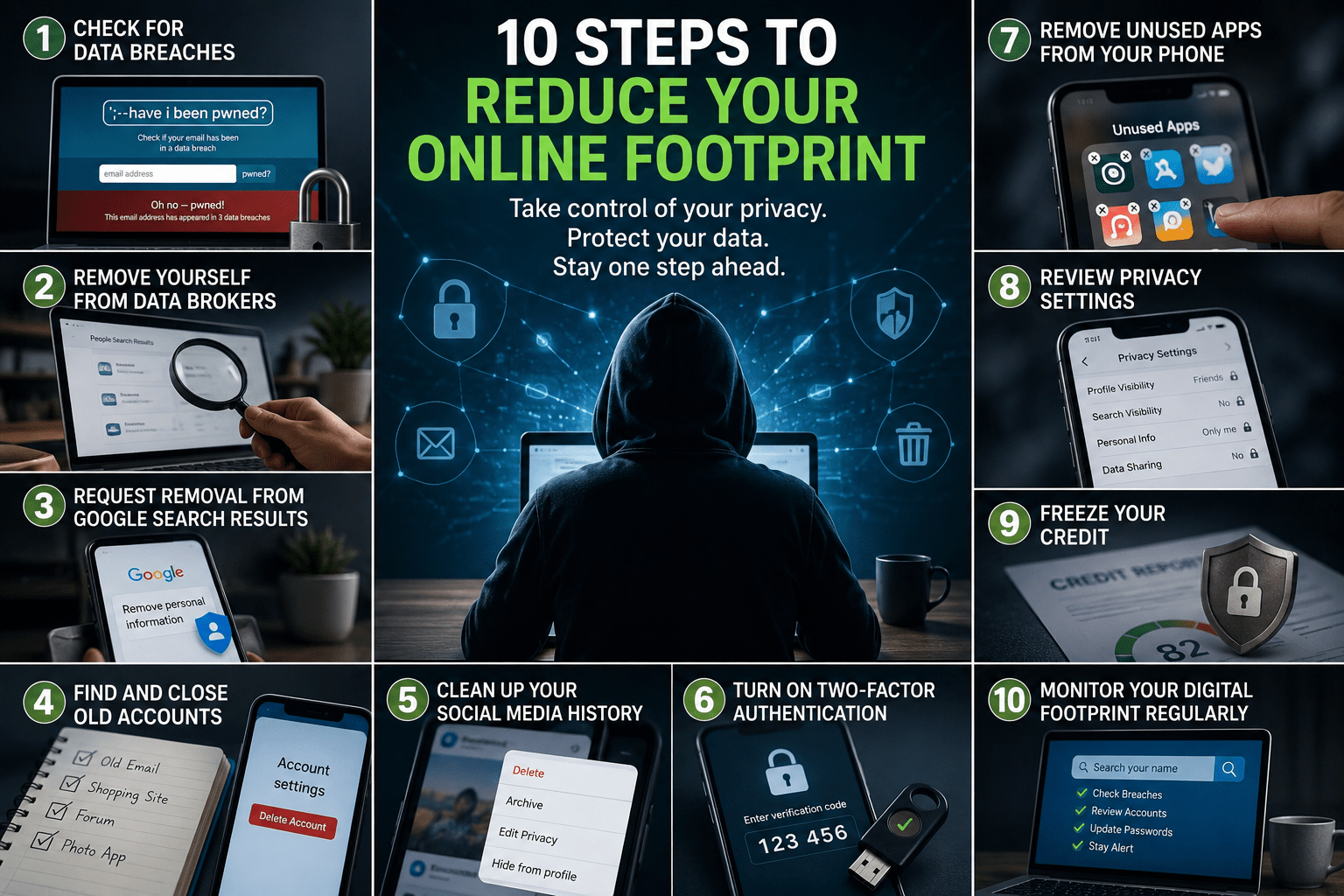
Most people would be shocked to discover how much of their personal information is floating around the internet.
Your name, phone number, email address, home address, social media accounts, and even information from old data breaches may be easier to find than you realize. While it’s nearly impossible to remove every trace of yourself from the internet, you can significantly reduce your online footprint and make it much harder for strangers, scammers, and data brokers to access your information.
Here are some practical steps you can take to strengthen your online privacy.
Step 1: Check Whether Your Information Has Been Exposed in Data Breaches
One of the first things you should do is check whether your email address has appeared in known data breaches.
Many companies have experienced security breaches over the years, exposing customer information such as email addresses, passwords, phone numbers, and other personal data.
If your email appears in a breach:
• Change your password immediately.
• Use a unique password for every account.
• Enable two-factor authentication whenever possible.
• Monitor your accounts for suspicious activity.
Even if you have never experienced fraud, it is worth checking because many people discover breaches they never knew occurred.
Step 2: Remove Yourself From Data Broker Websites
Data broker websites collect and sell personal information from public records, marketing databases, social media activity, and other sources.
Popular data broker sites may display:
• Full name
• Phone numbers
• Home addresses
• Family members
• Age ranges
• Previous addresses
Many of these sites offer opt-out requests that allow you to remove your information.
Keep in mind that removing yourself from one site does not remove you from all of them. There are dozens of data broker companies, and some may republish your information later.
Consider checking sites such as:
• Spokeo
• Whitepages
• BeenVerified
• PeopleFinders
• TruePeopleSearch
Review your information periodically to ensure it has not reappeared.
Step 3: Request Removal of Sensitive Information From Google Search Results
Google provides a process that allows individuals to request the removal of certain sensitive information from search results.
Examples may include:
• Personal phone numbers
• Home addresses
• Email addresses
• Government-issued identification numbers
• Financial account information
• Images of identification documents
Not every request is approved, but Google does review eligible requests and may remove qualifying content from search results.
Remember that removing information from Google Search does not necessarily remove it from the original website. You may need to contact the website owner separately for complete removal.
Step 4: Find and Close Old Online Accounts
Most people have created dozens—sometimes hundreds—of online accounts over the years.
Many of these accounts contain personal information that is no longer needed.
Search your email inbox for phrases such as:
• Confirm your account
• Welcome
• Verify your email
• Password reset
• Account created
These searches can help identify services you signed up for years ago and forgot about.
For accounts you no longer use:
• Log in
• Delete unnecessary information
• Close the account if possible
• Remove saved payment methods
• Revoke permissions connected to third-party apps
Every unused account represents another potential privacy risk.
Step 5: Clean Up Your Social Media History
Old social media posts can reveal far more information than you intended.
Review your accounts and consider removing:
• Old personal information
• Home addresses
• Phone numbers
• Travel plans
• Financial information
• Photos containing sensitive details
Most major social media platforms provide tools that allow you to review, archive, or delete older posts.
Remember that deleting a post does not always remove screenshots, archived copies, or cached versions, but it can still reduce your overall exposure.
Step 6: Turn On Two-Factor Authentication
One of the simplest ways to improve your online security is by enabling two-factor authentication (2FA).
With 2FA enabled, someone would need both your password and a second verification method to access your account.
Prioritize enabling 2FA on:
• Email accounts
• Banking apps
• Social media accounts
• Shopping accounts
• Cloud storage services
Your email account should be the highest priority because it is often the key to resetting passwords on other accounts.
Step 7: Remove Unused Apps From Your Phone
Many apps continue collecting data even after you stop using them.
Review your phone and remove apps that:
• You no longer use
• Have unnecessary permissions
• Access contacts, photos, or location data without a clear reason
Regularly checking app permissions can help limit how much information is being collected.
Step 8: Review Privacy Settings on Major Accounts
Many online services allow you to limit what information is publicly visible.
Take a few minutes to review privacy settings on:
• X (formerly Twitter)
• Google Account
• Apple ID
Look for settings that control:
• Profile visibility
• Search engine indexing
• Contact information visibility
• Ad personalization
• Data sharing
Small adjustments can significantly improve your privacy.
Step 9: Freeze Your Credit
A credit freeze helps prevent criminals from opening new credit accounts in your name.
A freeze does not affect your credit score and can be temporarily lifted whenever you need to apply for credit.
You can place a freeze with all three major credit bureaus:
• Equifax
• Experian
• TransUnion
This is one of the strongest protections against identity theft.
Step 10: Monitor Your Digital Footprint Regularly
Online privacy is not a one-time task.
New data breaches occur regularly, data brokers update records, and information can reappear over time.
Make it a habit to:
• Check for new breaches
• Review privacy settings
• Remove outdated accounts
• Search your own name online
• Update passwords periodically
The goal is not perfection. The goal is reducing unnecessary exposure and making yourself a harder target for scammers, identity thieves, and data collectors.
Final Thoughts
You may never remove every piece of personal information from the internet, but you can dramatically reduce how much is publicly accessible.
Taking a few hours to review old accounts, remove information from data brokers, secure your accounts, and strengthen your privacy settings can go a long way toward protecting your identity.
In today’s digital world, protecting your personal information is just as important as locking your front door.
Resources and References
The information provided in this article was compiled from publicly available privacy, cybersecurity, consumer protection, and identity protection resources. Online policies, opt-out procedures, and account settings may change over time, so readers should always verify information directly with the service provider or organization before taking action. The resources below can help you learn more about protecting your personal information, securing your accounts, and reducing your online footprint.
Have I Been Pwned
Google Personal Information Removal Request
https://support.google.com/websearch/troubleshooter/3111061
Google Personal Information Removal Policy
https://support.google.com/websearch/answer/9673730
Spokeo Opt-Out
Whitepages Opt-Out
https://www.whitepages.com/suppression_requests
PeopleFinders Opt-Out
https://www.peoplefinders.com/manage/consumerinquiry
TruePeopleSearch Removal Request
https://www.truepeoplesearch.com/removal
Experian Credit Freeze
https://www.experian.com/freeze/center.html
Equifax Credit Freeze
https://www.equifax.com/personal/credit-report-services/
TransUnion Credit Freeze
https://www.transunion.com/credit-freeze/
Federal Trade Commission Identity Theft Resources


