The Hidden Money Sitting in Thrift Stores, Library Sales, and College Campuses
Most people walk into a thrift store looking for clothes, furniture, or random household items. Very few people pay attention to the book section. What many don’t realize is that some of those “old dusty books” are actually worth real money.

And during graduation season? The opportunity gets even bigger.

Every year, thousands of college students move out of dorms, apartments, and campuses in a rush. A lot of them are more focused on going home, graduating, or starting their summer plans than trying to resell textbooks online. Instead of dealing with shipping, listing fees, or waiting for buyers, many students simply donate the books, leave them behind, or throw them away altogether.

That’s where the side hustle begins.

Why Used Textbooks Still Have Value

Many college textbooks cost students hundreds of dollars brand new. Even used versions can still hold value depending on:
• The subject
• The edition
• The demand
• The publisher
• Whether schools still use the book

Medical, nursing, engineering, law, business, and certification books tend to perform especially well because those fields constantly require updated materials and expensive coursework.

Some textbooks that look completely worthless to the average person can still have active buyers willing to pay decent money for them.

The key is knowing how to check before passing them up.

What Is an ISBN Number?

Almost every book has something called an ISBN number, usually located near the barcode on the back of the book or inside near the copyright page.

That number acts like the book’s fingerprint.

When you scan the ISBN using book reseller or buyback apps, the app searches databases to see whether companies or vendors are currently purchasing that specific book.

Instead of guessing whether something has value, you can know within seconds.

How the Process Works

The process is actually pretty simple:

Step 1: Find cheap books
Look in thrift stores, library sales, flea markets, yard sales, clearance bins, Goodwill stores, college move-out areas, or local donation centers.

Step 2: Scan the ISBN
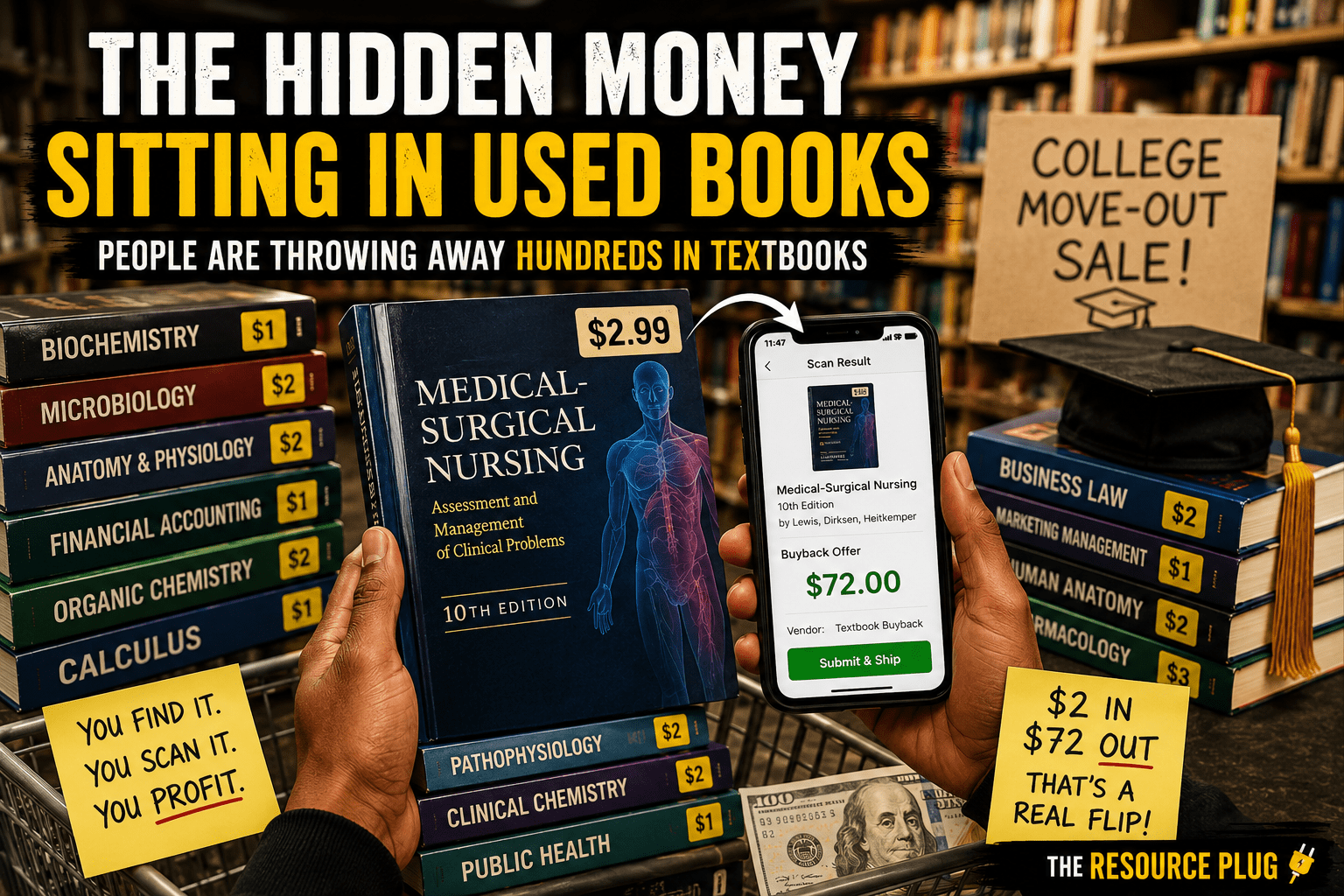
Use a book buyback or arbitrage app to scan the barcode.

Step 3: Check the payout offer
The app may show you offers from vendors willing to buy the book immediately.

Step 4: Purchase profitable books
If the numbers make sense, buy the book.

Step 5: Ship it off and get paid
Many platforms provide shipping labels, making the process even easier.

Some people are finding books for $1 to $5 and flipping them for $30, $50, or even over $100 depending on demand.

Why This Side Hustle Is Different

One reason people like this hustle is because you don’t always need to find your own customer.

With many other resale hustles, you have to:
• Take photos
• Create listings
• Answer messages
• Negotiate prices
• Deal with scammers
• Wait days or weeks for sales

Book buyback systems can remove a lot of that headache because some apps already have vendors buying directly through the platform.

That means you can sometimes know your profit before you even leave the store.

Best Places to Find Profitable Books

Thrift Stores

Many thrift stores price books extremely low because they receive large donations daily and need inventory moving quickly.

Library Sales

Libraries regularly clear out books to make room for new inventory. Some even sell books for less than $1.

College Campuses

Graduation season is one of the best times to source textbooks because students often abandon books during move-outs.

Yard Sales and Estate Sales

Older educational books, niche manuals, and specialized textbooks can sometimes be hidden among random household items.

Facebook Marketplace and Free Piles

Some people give books away completely free just to get rid of them quickly.

Not Every Book Will Make Money

This part is important.

Just because a book looks expensive doesn’t mean it still has value. Some editions become outdated very quickly, especially in fields that constantly update information.

That’s why scanning matters.

You may scan ten books and only find one profitable one. But sometimes that one book can cover the cost of everything else and still leave profit on top.

The more you do it, the easier it becomes to recognize which categories and publishers are worth checking first.

Tools People Commonly Use

There are several apps and platforms people use to check resale value and buyback prices. Many resellers compare offers across multiple apps before purchasing books.

Some apps focus on:
• Instant vendor buybacks
• Amazon resale values
• Arbitrage opportunities
• Used textbook marketplaces

Using multiple apps can help maximize profits.

Tips for Beginners

Start Small

You do not need hundreds of dollars to start this hustle. Many people begin with less than $20.

Focus on Higher Education Books

College textbooks usually have more profit potential than regular novels or fiction books.

Learn the Busy Seasons

Graduation season and back-to-school season can create higher opportunities.

Check Condition

Books with heavy damage, missing pages, or water damage may not qualify for buyback programs.

Don’t Ignore Niche Subjects

Specialized training manuals, certification guides, and technical books can sometimes be more profitable than common textbooks.

Why People Overlook This Hustle

Most people assume used books are outdated or worthless. Society has become so focused on electronics, trending products, and flashy side hustles that simple opportunities get ignored.

Meanwhile, resellers quietly scan bookshelves turning overlooked items into extra income.

This hustle may not look glamorous online, but practical side hustles rarely do. Sometimes the best opportunities are the ones hiding in plain sight while everybody else scrolls past them.

Final Thoughts

Book flipping is one of those low-cost side hustles that rewards consistency, patience, and paying attention to opportunities other people ignore.

You don’t need a warehouse.
You don’t need thousands of followers.
You don’t need expensive inventory.

Sometimes all it takes is a barcode scanner, a little research, and the willingness to check what everybody else walks past.

One person’s unwanted textbook could easily become somebody else’s profit.

Want to learn more hidden side hustles, money moves, and everyday ways to make extra income? Click Here


Latest Blogs

What Nobody Tells You About Storage Unit Auctions

You’ve probably seen the videos.

Somebody spends a couple hundred dollars on a storage unit and suddenly they’re pulling out “hidden treasures” like they just won a reality show.

Now don’t get me wrong — some people DO find valuable items.

But what social media usually does not show you is:

  • the dump fees
  • damaged furniture
  • mildew smells
  • broken electronics
  • bugs
  • cleanup costs
  • transportation problems
  • and the units that make absolutely no money at all

Storage unit auctions can become a profitable side hustle for some people, but the people who usually do well understand one thing:

This is more strategy than luck.

Most beginners jump in thinking every unit is a jackpot when really the smartest buyers are paying attention to:

  • resale value
  • hidden costs
  • warning signs
  • cleanup rules
  • and how much work comes AFTER the auction ends

One thing a lot of people also forget is that some facilities require deposits, quick cleanout deadlines, and transportation plans before you even bid.

And baby… one bad unit can humble your wallet real fast.

That’s why learning BEFORE spending money matters.

The goal is not just buying units.

The goal is buying SMART.

I put together a full beginner-friendly Storage Unit Auctions Guide that breaks down:

  • beginner mistakes
  • red flags to watch for
  • safety tips
  • hidden costs
  • what usually resells well
  • online auction websites
  • realistic expectations before bidding

If you’ve ever been curious about storage auctions, this guide will help you understand the side people usually do not talk about.

Download the full guide HERE

Latest Blogs

Free Help Exists… Most People Just Don’t Know Where to Look

Let’s talk about something real for a second.

A lot of people are struggling quietly right now while legitimate programs, free resources, and assistance websites are sitting untouched simply because nobody told them where to look.

And no… I’m not talking about fake “click here for a free iPhone” type stuff either.

I’m talking about real nationwide programs that can help with:

  • Food
  • Utility bills
  • Housing help
  • Free diapers and children’s items
  • Emergency assistance
  • Free tax filing
  • Free groceries
  • Product samples and household freebies
  • Community support programs

Some of these resources have been around for YEARS and people still don’t know they exist.

So let me put y’all on real quick.

Food Assistance Programs

If groceries have been eating your paycheck alive lately, these programs may help reduce some pressure.

Programs like SNAP help eligible families purchase groceries through an EBT card, while organizations like Feeding America connect people to local food banks and free food distributions nationwide.  

There are also emergency food programs that distribute free groceries to qualifying households through local community organizations and food pantries.  

Because listen… these grocery prices been acting like they got a celebrity endorsement deal lately.

Utility & Housing Help

Before you let a utility bill stress you out into a panic attack, check to see whether you qualify for assistance programs first.

Programs like LIHEAP may help eligible households with heating, cooling, and energy costs.  

There are also emergency rental assistance programs and local organizations that may help families avoid eviction or temporary hardship situations.  

And if you don’t know where to start, dialing 211 can connect you with local resources for:

  • Food
  • Rent help
  • Utility assistance
  • Shelter programs
  • Healthcare resources
  • Community services

That number alone has helped a LOT of people.

Help for Parents & Children

There are also programs that help families with children by providing:

  • Diapers
  • Baby supplies
  • Clothing
  • School supplies
  • Winter coats
  • Toys during the holidays

Organizations like Baby2Baby, Toys for Tots, and Operation Warm help support families across the country.  

And honestly? Kids grow out of stuff so fast that sometimes you blink and suddenly their shoes look like they belong to somebody else’s child.

Freebies, Samples & Extra Savings

Now some of y’all already know I love a good resource.

There are legitimate websites where people can sign up for:

  • Free product samples
  • Household items
  • Coupons
  • Cashback apps
  • Reward programs

Sites and programs like:

  • PINCHme
  • Influenster
  • SampleSource
  • Fetch Rewards
  • Rakuten

have become popular for helping people save money and test products.  

Because if companies are giving away samples anyway… you might as well let it be YOU getting the free stuff.

Emergency Assistance & Community Programs

There are also nonprofit organizations that help people during difficult financial situations through:

  • Emergency grants
  • Shelter assistance
  • Community programs
  • Meals for seniors
  • Hygiene supplies
  • Workforce support

Some of these organizations include:

  • Modest Needs
  • Catholic Charities
  • Salvation Army
  • Meals on Wheels
  • Family Promise

I Put Together Something Helpful For Y’all

I actually put together a free downloadable resource page with nationwide programs, assistance links, and freebie resources that people can save and go through at their own pace.

Because sometimes you don’t need another motivational quote.

You need an actual resource.

The download link will be available below so make sure you save this page, share it with somebody who may need it, and check back regularly because I’ll continue posting more helpful resources, programs, and information.

Visit:
The Resource Plug

Latest Blogs

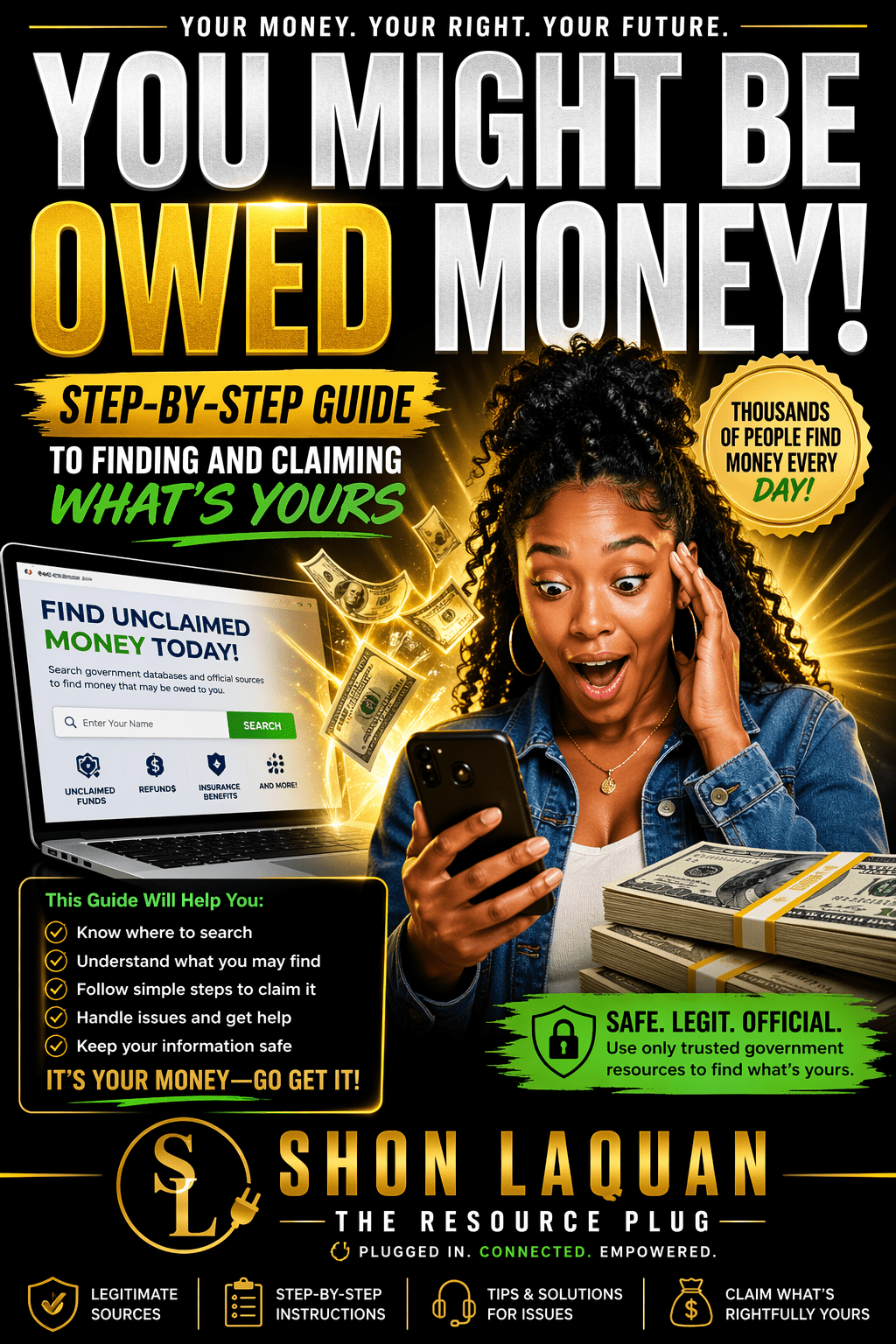
Think you may be owed money??

Think You Might Be Owed Money? Start Here

Most people don’t realize this…
There’s money sitting in systems tied to refunds, unclaimed funds, and overpayments—and it belongs to everyday people who never knew to check.

If you’ve ever moved, worked, paid bills, or filed taxes… you might be owed money.

Start here first:

• Unclaimed money from your state
• IRS refunds or missed credits
• Old utility overpayments
• Closed bank accounts or deposits
• Insurance policy payouts
• Old jobs with unpaid benefits

Now go check these (these are legit and free):

Unclaimed Money (by State)
National Association of Unclaimed Property Administrator. Click Here

IRS Refunds / Tax Records
Internal Revenue Service (IRS. Click Here

HUD / FHA Refunds
U.S. Department of Housing and Urban Development (HUD).Click Here

Unclaimed Pension Benefits
Pension Benefit Guaranty Corporation (PBGC).Click Here

Quick heads up:

You should NEVER have to pay upfront just to check if you’re owed money.
If somebody is asking for money just to search… that’s your sign to exit.

Now if you want this broken down step-by-step (without missing anything or getting confused), I put everything into one guide that shows you exactly:

• where to check
• how to check the right way
• what to look for
• how to claim it without messing it up

Tap below and go get it:

[Check My Full Guide HERE

Some money sits… but some doesn’t. Don’t wait too long to check.

Latest Blog

Stop Letting Your Money Sit — Here’s How to Make It Grow AND Pay You 💸

If your money is not growing, it is sitting still. And that is the problem.

A lot of people think building wealth means working harder, but in reality, it is also about learning how to make your money work for you.

You do not have to be rich to get started.
You do not have to be an expert.
You just need to understand a few simple ways money can grow over time.

One way people build wealth is through dividend stocks.

A dividend is money that some companies pay to their shareholders just for owning shares of their stock. That means you do not have to sit around all day trying to trade in and out of the market just to make money. If you buy stock in a company that pays dividends, that company may pay you a portion of its profits on a monthly, quarterly, or yearly basis.

So while your stock may grow in value over time, it can also pay you along the way. That is one of the reasons dividend stocks can be attractive for people who want their money to start working in the background.

Another way to grow your money is by opening a CD at a bank.

A CD, also called a Certificate of Deposit, is a savings option where you deposit your money for a set period of time, such as 12 months, and agree not to touch it during that term. In return, the bank gives you a fixed interest rate.

That rate is locked in for the full term, which means you know exactly how your money is growing during that time. At the end of the 12 months, you can withdraw your original deposit along with the interest it earned. It is a simple option for people who want something more predictable and do not need immediate access to that money.

Another option to consider instead of leaving your money sitting in a regular savings account is a Series I Bond.

A Series I Bond is a savings bond backed by the U.S. government. It earns interest over time and is designed to help protect your money from inflation. That means it can be a useful option for people who want a low-risk place to park money and let it grow.

With a Series I Bond, your money earns interest while it sits, and the rate can change over time based on inflation. You do have to leave the money in for a certain period, but for people who are trying to build smarter money habits, it can be another way to let their money grow instead of just sitting still.

These are just a few examples of wealth-building strategies that can help people start thinking differently about money.

But let us be real. A lot of people need extra money first before they can even start using some of these strategies consistently.

That is where side hustles come in.

If you want extra money to put toward investing, saving, or building wealth, picking up a side hustle can help you create that extra cushion. And there are plenty of local side hustles and everyday hustles that people overlook all the time.

A lot of people do not even realize how much money can be made from simple services, small local opportunities, and practical skills they already have. I have made money from doing it myself, and I break it down in a way that actually makes sense for real life.

If you are ready to actually start bringing in extra income, I have already put together resources where I break down different side hustles, how to get started, and how to turn them into real money. Click here

Start there, then come back and put your money to work.

Latest Blogs

You Might Be Owed Money and Don’t Even Know It 👀

Get The Full Guide Below


Most people don’t even realize this…

There is money sitting in the system tied to properties that were sold — and the people it belongs to don’t even know it’s there.

I’ve already helped TWO families find money that was owed to them… money they had no clue existed.

Let that sink in.

This isn’t one of those “maybe” situations. This is real.

And that’s exactly why I created this.

This guide shows you:

how to check if money is tied to your name or your family

where to actually look (not guess)

what to avoid so you don’t get taken advantage of

and how to make sure you’re not leaving money behind

No confusion. No fluff. Just real information you can actually use.

If you’ve ever dealt with a house, land, foreclosure, or even a family member’s property…

You NEED to check this.

Don’t wait on this. Go grab it now.

Don’t sit on this. Go check tonight.

Stop Overpaying Your Utility Bills — Check This First

Get the full guide here

Stop Overpaying Your Utility Bills — Check This First

If your light bill, water bill, or gas bill has been looking higher than usual, you’re not alone… but here’s what most people don’t realize:

A lot of these bills aren’t wrong by accident — they’re just not being checked.

Most people open the bill, see the total, and pay it without ever looking deeper. No questions asked.

And that’s exactly how money gets left on the table every single month.

Here’s the truth.

Utility companies can estimate your usage instead of actually reading your meter. They can put you on the wrong rate plan. They can add fees you don’t even notice. And if something is off, it usually won’t get corrected unless you catch it.

If you don’t know what to look for, you won’t know when something isn’t right.

Before you pay your next bill, take a moment and check a few things.

Look to see if your usage says “estimated” instead of actual. Pay attention to any sudden jumps in your bill that don’t match how you’ve been using your utilities. Check for extra fees or charges that you don’t recognize. And make sure you’re even on the right plan for your household.

These small details can make a big difference.

Most people aren’t overpaying because they want to — they’re overpaying because nobody ever showed them what to check.

That’s why I created a simple, step-by-step guide to help you go through your utility bills the right way.

No confusing language. No guessing. Just real steps you can follow and actually use.

If you’re tired of paying more than you should, this is something you need to look into.

Get the full guide here: CLICK HERE

Don’t wait until your next bill hits to start paying attention.

Check what you’re paying before you pay it.

Ready to stop overpaying your bills?👉 Get the full step-by-step guide here: Get The Guide

Autism Grants 


Finding real help these days feel like trying to win a game of “spot the scam!” 😩 Every time you scroll, somebody’s promising $10,000 just for liking and sharing a post—yeah okay 😂

That’s why I went ahead and did the digging for you! I put together a verified Autism & Disability Grants Resource Guide with legit programs that actually help families with therapy costs, support services, and more. No gimmicks, no “tag 5 friends to qualify” nonsense!

💙 Whether you’re a parent, caregiver, or just trying to help someone out, this list got you covered with real links and real help.

👉🏾 Click the link below to download your copy and peep all the verified grants in one place!


Latest Blog Post

Best Tablets & Phones for Vision Accessibility: Apple vs. Android

By Shon Laquan

Why Accessibility Matters

Smartphones and tablets are powerful assistive tools for individuals with vision impairment. Features like screen readers, magnifiers, braille support, and high-contrast display modes allow users to interact with the world seamlessly. When these features are built into both hardware and software, they offer a consistent, dependable experience—unlike standalone apps that may vary in quality. Devices that prioritize accessibility empower users to communicate, navigate, and live independently with confidence.

Apple: iPhone & iPad — What You Get

Apple’s accessibility for vision impairment is widely regarded as best-in-class:
• VoiceOver (Screen Reader)
A gesture-based, full-featured screen reader with customizable voices and seamless braille display integration.
→ Learn more about VoiceOver
• Magnifier App
Transforms the camera into a high-contrast magnifying glass with a freeze-frame function and built-in filters.
→ Explore the Magnifier tool
• Zoom
A system-wide magnification tool that enlarges screen content while keeping the focus intuitive.
→ Using Zoom on iOS
• Display Accessibility Options
Adjust text size and weight, increase contrast, disable transparency, and apply color filters for better visibility.
→ Detail on Display accommodations
• Voice Control & Siri
Full voice-command control and dictation capabilities, enabling hands-free operation of your device.
→ More on Voice Control
• Braille Support
Native support for a wide variety of Bluetooth braille displays, with continuous enhancements.
→ Apple Accessibility Features overview
• Live Text & Visual Lookup Tools
AI-powered tools to identify and read text from images and photos, helping users interpret visual content.
→ Apple’s latest accessibility updates

Why many users choose Apple: VoiceOver tends to work uniformly across apps and devices, with fewer inconsistencies and seamless integration that makes day-to-day tasks smoother. Many accessibility enthusiasts and user communities like AppleVis highlight Apple’s consistent user experience.

Android: Phones & Tablets — What You Get

Android’s accessibility suite offers flexibility, customization, and strong vendor-led tools:
• TalkBack (Screen Reader)
Part of the Android Accessibility Suite, TalkBack offers gesture navigation, spoken feedback, and braille support (depending on device compatibility).
→ Get to know TalkBack
• Accessibility Menu
A floating, large-button interface offering quick access to Back, Home, Notifications, and volume controls.
→ Learn about the Accessibility Menu
• Select to Speak
Tap on-screen text to have it read aloud without enabling full-screen reader mode. Great for quick text access.
→ Select to Speak Details
• Magnification & High Visibility Settings
System-wide magnification gestures, large text, high-contrast themes, and—for some vendors—keyboard and font visibility enhancements (e.g., Samsung’s One UI).
→ Samsung Vision Enhancements
• Voice Access & Google Assistant
Voice-first control of your device, enhanced with AI-powered image descriptions and more.
→ New Google accessibility features
• Third-Party Accessibility Apps
The open ecosystem means you can add OCR tools, object recognition apps, alternate keyboards, and more from external developers.

Why people choose Android: There’s a broader range of devices at different price points, and manufacturers like Samsung layer on additional accessibility options. Google continues merging AI capabilities with TalkBack to offer richer, context-aware descriptions.

Feature Comparison at a Glance

Feature Apple (iPhone/iPad) Android (Phone/Tablet)
Screen Reader VoiceOver — reliable, consistent TalkBack — powerful but varies by device
Magnifier Magnifier app — integrated, intuitive System magnification; Samsung adds presets
Braille Support Broad support; highly praised Supported; quality varies by device
AI Visual Tools Live Text, visual lookup features AI-powered descriptions in TalkBack
Update Consistency Uniform OS updates, reliable features Depends on manufacturer/carrier
Customization & Flexibility Less choice—just iPhone/iPad models Wide range of devices and budgets
Vendor-Specific Enhancements Native accessibility across models Samsung, others add specialized tools

Recommended Devices
• For a consistent, polished experience → Choose an iPhone (any recent model, including SE) or iPad for their intuitive VoiceOver + Magnifier + Braille support.
• For more options or affordability → Consider a modern Android device—especially Samsung Galaxy phones or tablets. They offer flexible pricing and robust vision-oriented features.

Official Resources & Community Guides
• Apple Accessibility Features (Vision)
• Apple iPad Vision Accessibility Overview
• Android Accessibility Suite & TalkBack (Google Support)
• Samsung Vision Enhancements (One UI)
• RNIB Guide to Accessible Phones & Tablets
• AppleVis Community

Tips for Choosing & Setting Up
1. Try out accessibility features in-store or via demos to feel how voice feedback, magnification, and gestures operate.
2. Enable accessibility during setup to start your device with screen reader or magnifier activated.
3. Go for larger screens (Plus/Max phones or tablets) for easier visibility and navigation.
4. Check compatibility with your braille display before purchasing.
5. Install updates promptly—accessibility tools improve with each OS update. Apple’s ecosystem makes this simpler than Android’s fragmented rollout.

Final Thoughts

Both Apple and Android offer strong accessibility for users with vision loss. If you want a dependable, cohesive experience across apps and devices, Apple is often the go-to recommendation. If you prefer device variety, budget options, and customization, Android—especially Samsung devices—is a compelling choice.

The “best” device really depends on your needs, preferences, and how you use assistive features like screen reading, braille, or magnification.

If you enjoy this content, please take the time out to check out more informative information by clicking the

Button below.

Screen Readers For The Visually impaired 

Screen Readers for the Visually Impaired: Types & Where to Get Them

For individuals who are blind or visually impaired, technology opens up the world in powerful ways. One of the most important tools is the screen reader—software that turns on-screen text and interface elements into speech or Braille. Whether on a computer, smartphone, or web browser, screen readers make it possible to navigate, work, study, and connect with others independently.

Below, you’ll find a guide to the most widely used screen readers, where to access them, and what makes each one unique.

Windows Screen Readers

NVDA (NonVisual Desktop Access)

A free, open-source screen reader that’s highly popular worldwide. It works smoothly with Microsoft Office, web browsers (Firefox, Chrome, Edge), email, and supports speech and Braille displays.
👉 Download NVDA HERE

JAWS (Job Access With Speech)

The most widely used commercial screen reader for Windows. Known for its customization, scripting, and strong compatibility across applications. Paid software with free trial options.
👉 Learn more about JAWS HERE

Narrator

Built into Windows, Narrator provides basic functionality without requiring extra downloads. It supports browsing and productivity apps and can be activated instantly with Windows key + Ctrl + Enter.
👉 About Narrator HERE

ZoomText (Magnifier/Reader)

A paid solution that combines magnification and speech. It’s especially useful for low-vision users who benefit from both enlarged text and speech feedback.
👉 About ZoomText HERE

macOS & iOS

VoiceOver

Apple’s built-in screen reader works across all devices, including iPhone, iPad, Mac, and Apple Watch. It supports gestures, Braille displays, and even describes images. No extra download required.
👉 Learn about VoiceOver HERE

Android

TalkBack

TalkBack is built into Android phones and tablets. It allows gesture navigation, customizable voices, and Braille support. Comes pre-installed on most devices.
👉 TalkBack Guide HERE

Linux

Orca

A free, open-source screen reader developed for Linux environments such as GNOME and MATE. Supports speech and Braille output, working with apps like Firefox and LibreOffice.
👉 Learn about Orca HERE

Browser-Based & Web Solutions

ChromeVox

A screen reader for Chrome and ChromeOS. Great for web navigation and testing accessibility.
👉 Get ChromeVox HERE

WebAnywhere

A web-based screen reader that runs directly in your browser—no install required. Perfect for use on public or shared computers.
👉 Use WebAnywhere HERE

Pericles (Chrome Extension)

Reads webpages aloud with highlighting, offering a simpler option for those who don’t need a full screen reader.
👉 Install Pericles HERE

Quick Comparison

Platform Screen Reader(s) Cost Access
Windows NVDA Free Download
Windows JAWS Paid Learn More
Windows Narrator Free About
Windows ZoomText Paid About
macOS/iOS VoiceOver Free About
Android TalkBack Free Guide
Linux Orca Free About
Browser ChromeVox, WebAnywhere, Pericles Free ChromeVox, WebAnywhere, Pericles

Final Thoughts

Screen readers empower individuals who are blind or visually impaired to use technology with independence. Whether you’re just starting out, testing accessibility as a developer, or looking for advanced features, there’s a screen reader that fits your needs.
• New to screen readers? Try the built-in options like VoiceOver, TalkBack, or Narrator.
• Looking for free desktop software? Download NVDA.
• Need advanced features for professional use? Consider JAWS or ZoomText.

With so many options available, accessing digital content has never been more possible—or more empowering.

If you found this helpful, check out my digital resource guides where I break things down in a simple, easy-to-follow way.

You can explore more tools, resources, and step-by-step guides here:


Latest Blog